Hura Snowfall Effects & Decor: Every Feature You Need to Turn Holidays Into Sales
Holiday shoppers don't just buy products — they buy a feeling. The moment a visitor lands on a store that looks like Christmas, Black Friday or Lunar New Year, the season's urgency kicks in: gifts need to be bought, deals won't last, and "add to cart" feels like part of the celebration.
Most Shopify stores, however, look exactly the same in December as they do in March. Hura Snowfall Effects & Decor fixes that in minutes. It adds falling snow, fireworks, confetti, holiday decorations, mouse trails, custom cursors and more to your storefront — with no theme code, no designer and no slowdown — so every season becomes a reason for customers to buy.

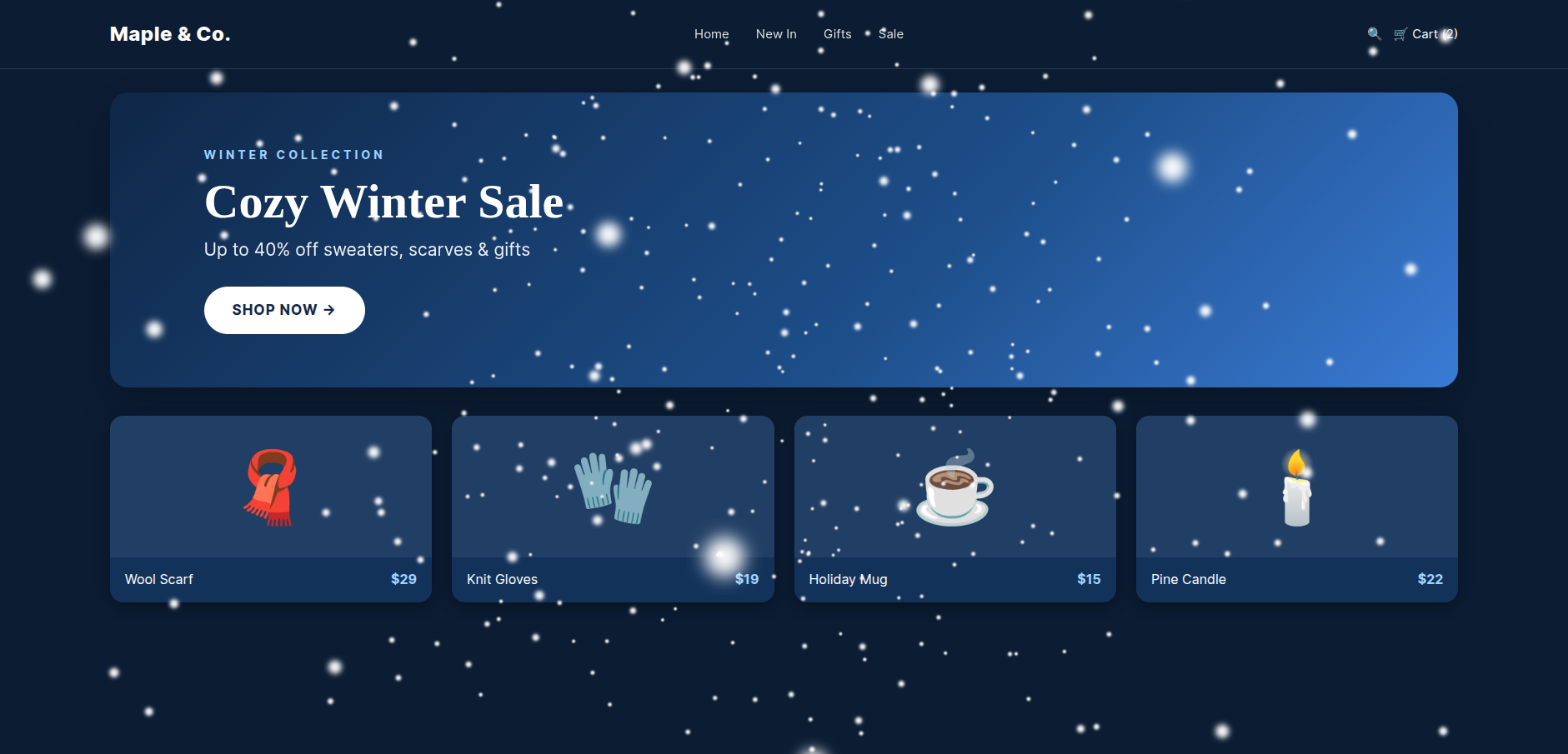
The classic Snowfall effect instantly turns a regular storefront into a cozy winter shop.
Why festive effects help you sell more
- Emotion drives holiday purchases. A storefront that feels festive puts shoppers in a gift-giving mood and reminds them why they came to buy today.
- Your promotion gets noticed. Falling "SALE" badges, gift boxes or fireworks draw the eye to your campaign before visitors scroll away.
- Your brand looks alive and cared for. Seasonal touches show customers the store is active and up to date — a small signal that builds trust.
- Visitors stay longer and come back. Delightful details make browsing more fun, and a flashing tab title can pull distracted shoppers back to their cart.
Below is a full tour of everything the app can do.
1. 60+ seasonal main effects for every occasion
Choose from a library of more than 60 animated effects: Snowfall (light, heavy or confetti snow), Rain, Sakura and cherry blossom petals, Flying & Falling Hearts, Falling Gift Box, Falling Sale Logo, Halloween Flying Bats, Falling Pumpkin, Autumn Leaves, Meteor Shower, Brocade, Cosmo and Text Fireworks, Confetti Cannons, Flying Emoji, Butterflies, Bubbles, Balloons, Aurora, Chinese Lanterns, Falling Shamrocks, Musical Notes, Diya Flame and many more.
Every effect has a Preview link, so you can see exactly how it looks before your customers do.

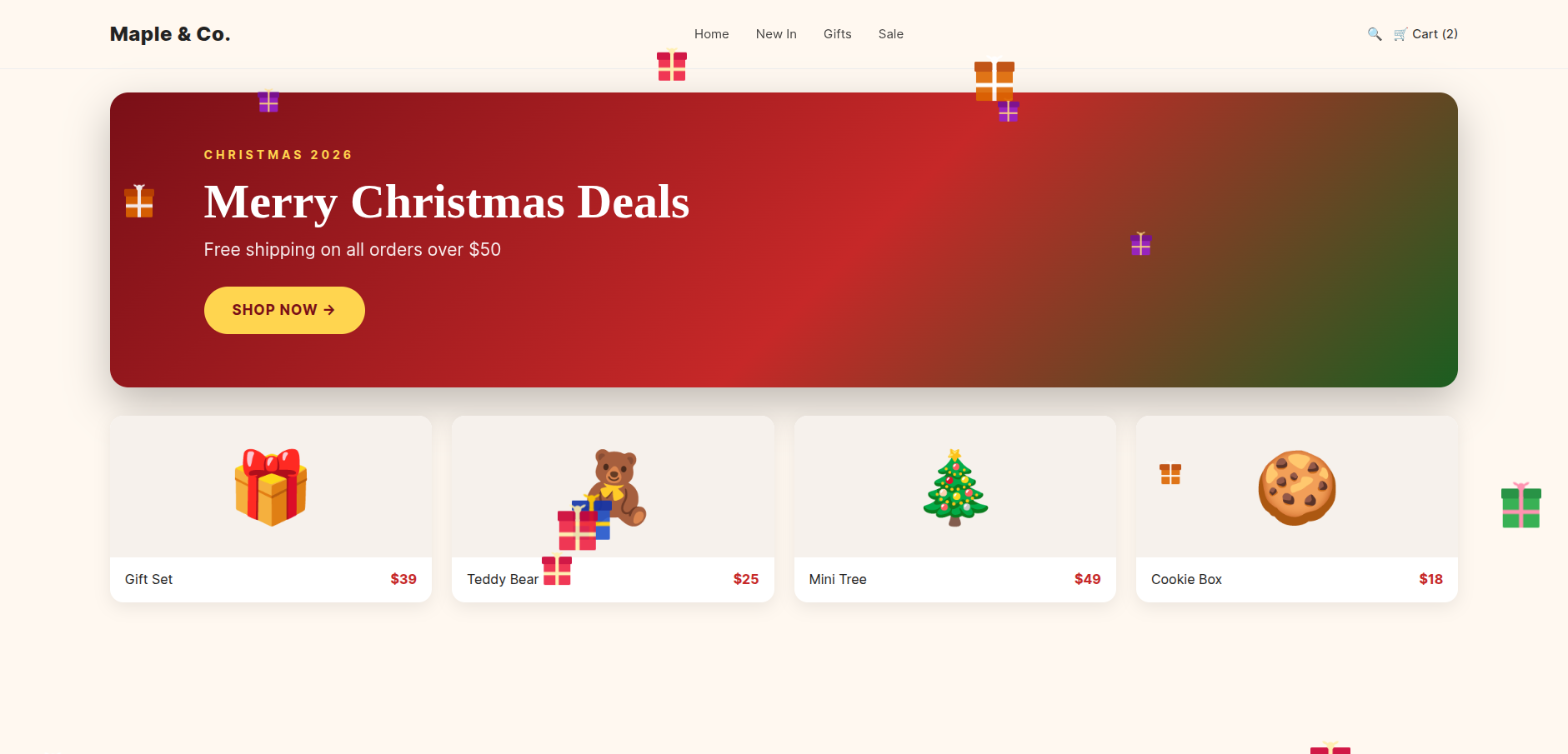
Falling Gift Box — perfect for Christmas and gift-guide collections.

Falling Sale Logo — make your Black Friday and Cyber Monday deals impossible to miss.
2. Find the right effect by holiday in one click
No need to scroll through everything. Filter effects by theme: Christmas, New Year, Lunar New Year, Halloween, Easter, Valentine's Day, Thanksgiving, Diwali, Holi, 4th of July, St. Patrick's Day, Birthday, Spring, Summer, Autumn, Winter and Sale. Planning your marketing calendar has never been this easy.

3. 20+ decorations that frame your store
Decorations sit around the edges of your pages like real holiday ornaments: Christmas Lights, Christmas Decorating, Christmas Swing Balls, Hanging Spiders, Pumpkin Lanterns, Vietnamese New Year, Happy Valentine's Day, Happy Gift Box, Happy Easter, Happy Halloween, Happy Diwali, Happy Ramadan, Happy 4th of July, Happy Thanksgiving, Spring/Summer/Autumn/Winter Season and Floral Curtain.


Christmas Lights — a glowing string of lights across the top of your store.

Christmas Decorating — garlands, bells and a snowy tree framing your homepage.

Happy Halloween — pumpkins, ghosts and a spooky sign for October sales.

Vietnamese New Year — apricot and peach blossoms for Tet and Lunar New Year campaigns.
4. 30+ mouse trail effects
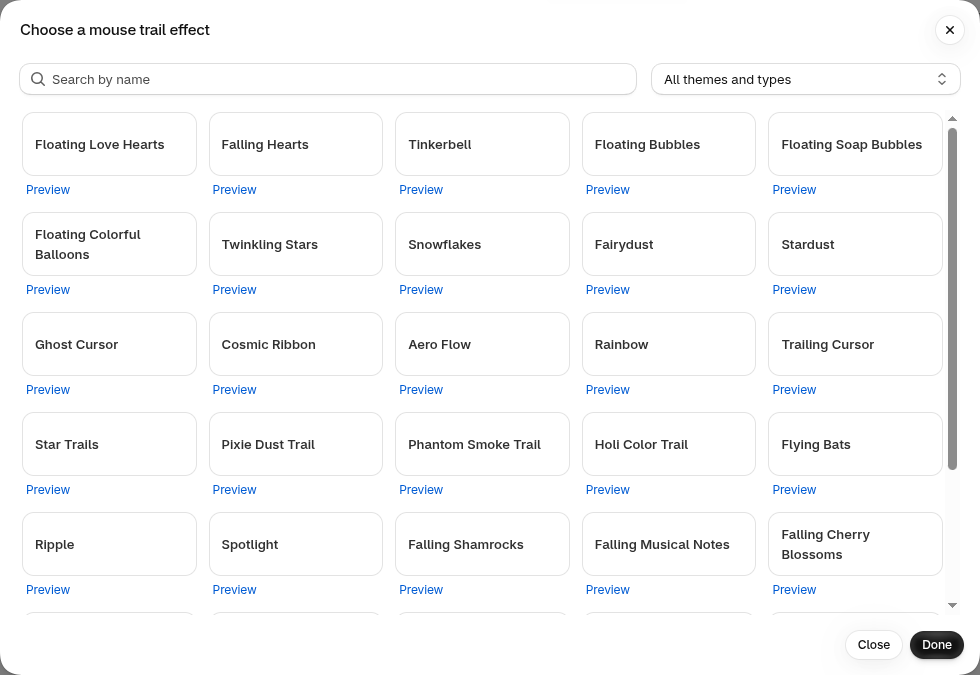
Add a little magic that follows every move of the cursor: Floating Love Hearts, Tinkerbell, Fairydust, Stardust, Snowflakes, Twinkling Stars, Rainbow, Cosmic Ribbon, Pixie Dust Trail, Holi Color Trail, Flying Bats, Ripple, Spotlight, Falling Cherry Blossoms, Xmas Lights, Tumbling Confetti and more. It's a playful detail shoppers remember.
5. 100+ custom cursors — or upload your own
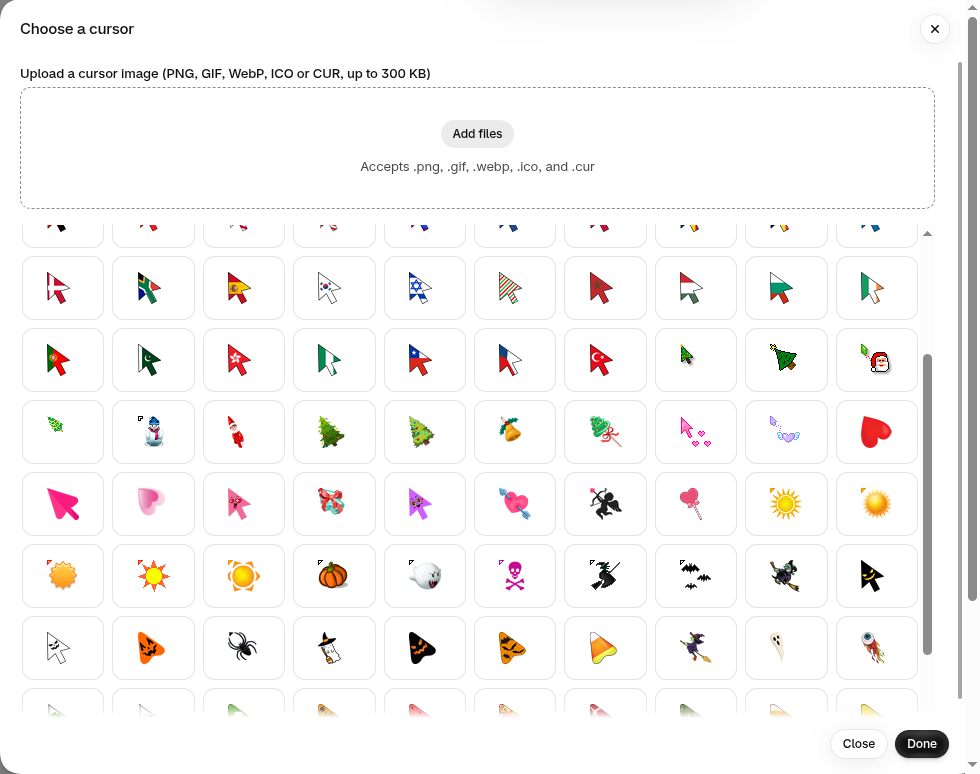
Replace the default arrow with a Christmas tree, Santa, snowman, heart, pumpkin, witch, ghost, country flags and 100+ other cursors. Want something on-brand? Upload your own cursor image (PNG, GIF, WebP, ICO or CUR, up to 300 KB).
6. Combine effects and fine-tune every detail
Each campaign can combine up to 3 main effects, 1 decoration and 1 mouse trail, plus a custom cursor. Then adjust the settings of each effect — for example the number of snowflakes and their speed, or exactly which emoji fly across the screen and how many.
7. Schedule campaigns in advance
Set a start date and time and an end date and time, and the app turns your campaign on and off automatically in your store's time zone. Prepare Black Friday, Christmas, New Year and Valentine's Day in one sitting, then let them run by themselves — nothing needs to stay open. You can create unlimited campaigns and pause any of them without losing its settings.

8. Flashing tab title to win back distracted shoppers
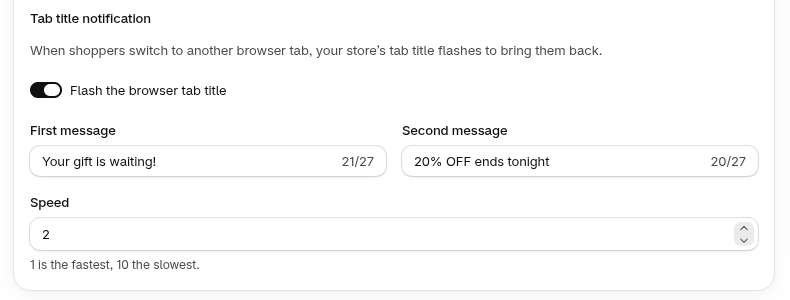
When a shopper switches to another browser tab, your store's tab title can alternate between two short messages — like "Your gift is waiting!" and "20% OFF ends tonight" — at the speed you choose. It’s a simple way to bring people back to finish their purchase.
9. Show effects exactly where (and when) you want
- Page targeting: show a campaign on all pages or only on specific page types — home page, product pages, collection pages, collections list, pages, blogs, blog posts, cart, search results, customer account pages, password page, 404 page and policy pages.
-
Specific URLs: run a campaign only on, for example,
/collections/christmasor/products/gift-card. -
Exclude URLs: keep checkout-critical pages like
/cartclean and distraction-free. - Devices & frequency: choose desktop and/or mobile and how often the effects appear.
- Timing: delay the start so your content loads first, and stop main effects and decorations after a set number of seconds.

10. Fast, safe and easy to set up
- No theme code edits. The app works through a Shopify theme app embed that you can turn on or off at any time.
- Built for speed. Effects load from Shopify's CDN after your page has loaded, and only the effects needed on the current page are downloaded.
- One master switch. Hide every effect instantly with "Show effects on my online store" without touching your campaigns.
- Clean uninstall. If you ever remove the app, the effects are removed from your store automatically.
- Friendly support. A built-in Help page answers common questions, and our team is one email away at support@huraapps.com.
Get started in 3 simple steps
- Install the app from the Shopify App Store.
- Turn on the app embed — click "Enable now" in the app, then save your theme.
- Create a campaign — pick your effects, decoration, mouse trail and cursor, choose the pages and schedule, then switch on "Show effects on my online store".
Simple pricing
Start with the Free plan to add the snowfall effect with a simple on/off switch. Upgrade to PRO for just $1.49 USD/month to unlock all 60+ seasonal effects, 20+ decorations, 30+ mouse trails, 100+ cursors (or your own), several effects at the same time, unlimited and scheduled campaigns, page targeting, effect settings and the flashing tab title notification.

That's less than the cost of a coffee for a storefront that celebrates every season with your customers.
Make this your most festive — and most profitable — season yet
Christmas, New Year, Valentine's Day, Easter, Halloween, Black Friday and every celebration in between are chances to give shoppers a reason to buy now. With Hura Snowfall Effects & Decor, your store will look the part in minutes.